
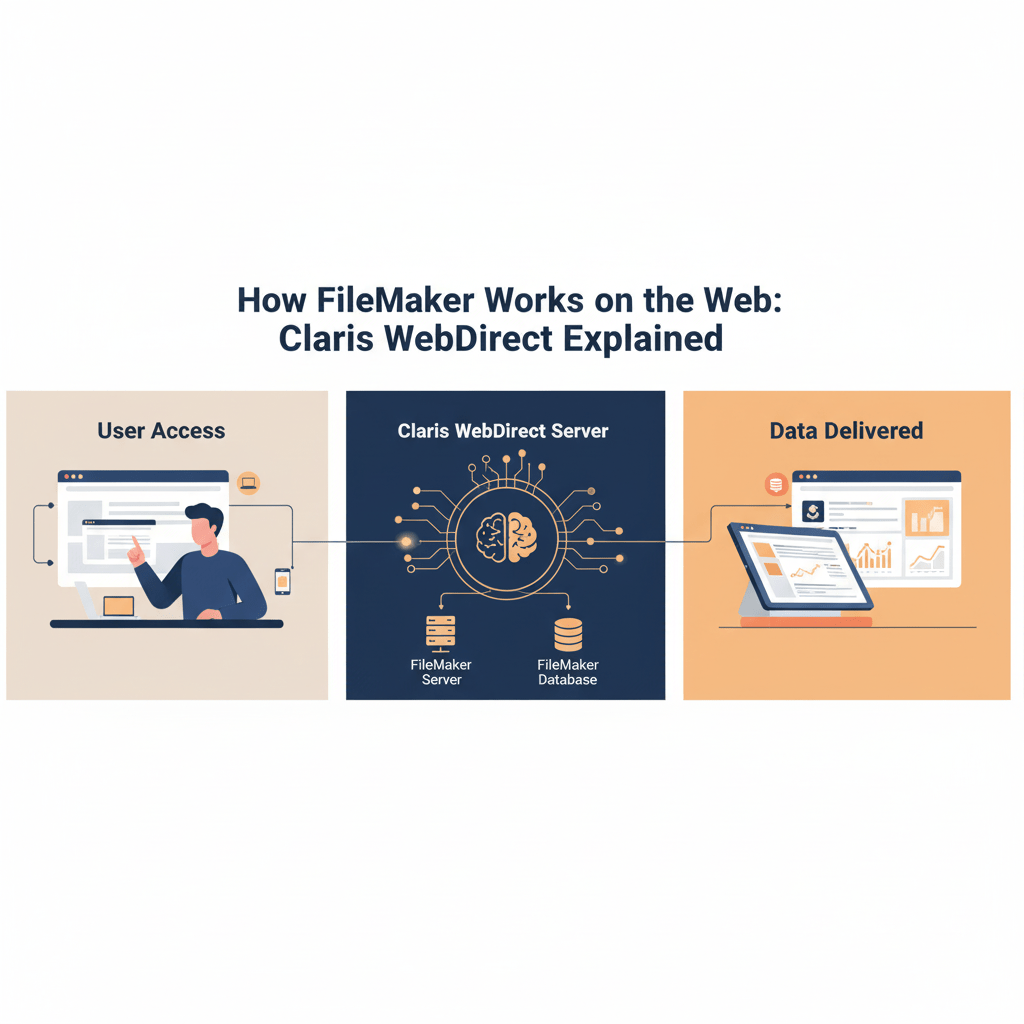
One of the most robust and intuitive solutions in the FileMaker ecosystem for launching custom apps online is Claris WebDirect. By bridging the gap between browser-based access and desktop databases, it enables teams to use FileMaker solutions anywhere and without the need to install software.
We’ll explain in detail how WebDirect functions, what makes it unique, and how companies can use it to streamline deployment, access, and collaboration in this blog.
What Is Claris WebDirect?
Claris WebDirect is a web technology built into FileMaker Server that lets users access their FileMaker apps directly through a web browser.
It delivers a nearly identical experience to the FileMaker Pro desktop client — including layouts, scripts, and custom logic — but rendered through HTML5 and modern JavaScript under the hood.
In simple terms, WebDirect turns your FileMaker app into a live web application that anyone can use securely via a URL — no installation, no plug-ins, and no separate codebase.
How WebDirect Actually Works
When a user logs in via WebDirect, the FileMaker Server hosts the solution and performs all the heavy lifting — executing scripts, managing data requests, and rendering layouts.
Here’s a quick overview of the workflow:
- User Accesses a WebDirect Link
The user opens a browser (like Chrome, Safari, or Edge) and enters the WebDirect URL, typically formatted likehttps://yourdomain.com/fmi/webd. - Server Handles Authentication
FileMaker Server verifies credentials using internal accounts, external authentication (OAuth, AD/LDAP), or Claris ID — depending on setup. - Dynamic Layout Rendering
The FileMaker Server converts the layout design and data into a dynamic web interface in real time. WebDirect’s rendering engine translates FileMaker layout objects into HTML/CSS/JS on demand. - Continuous Data Sync
As users interact (edit records, trigger scripts, switch layouts), the server processes these actions instantly — keeping the experience live and synced across all active sessions. - Session Management
Each WebDirect user runs in a separate session, managed by the FileMaker Server Web Publishing Engine (WPE). This ensures performance isolation and data security.
Benefits of Using WebDirect
WebDirect offers several clear advantages for organizations that want fast web deployment without full-scale web development:
- 🌐 Instant Web Access: No need to rebuild your FileMaker app — it runs directly in the browser.
- ⚙️ Centralized Hosting: All logic and data live on the server, simplifying updates and maintenance.
- 🧑💼 Familiar Experience: Users get the same FileMaker feel — buttons, portals, value lists, and scripts behave almost identically.
- 🔒 Secure by Design: Encrypted connections (TLS/SSL), role-based access, and server-level authentication.
- 🚀 Cross-Platform: Works on both macOS and Windows users via any modern browser — even tablets.
For many businesses, WebDirect is the fastest way to deliver FileMaker solutions to remote teams or external partners without managing local installs.
Limitations & Considerations
While WebDirect is powerful, it’s not identical to FileMaker Pro. Here are a few key points to keep in mind:
- 🧭 Performance: Heavy layouts with many objects, portals, or unstored calculations can slow down rendering. Keep designs lightweight.
- 💾 Concurrent Users: Each session consumes server resources — plan your server specs based on expected user load.
- 🔌 Unsupported Features: Some desktop-only features (e.g., plug-ins, certain script steps) won’t run in WebDirect.
- 🧱 Network Dependency: Because it’s live, a stable and fast connection is critical for a smooth experience.
When designed thoughtfully, these limitations are easy to work around — especially with performance-optimized layouts and strong hosting infrastructure.
Best Practices for Optimizing WebDirect
To ensure your WebDirect deployment performs like a professional web app:
✅ Use lightweight layouts: Fewer objects and less layering mean faster rendering.
✅ Minimize unstored calculations: They’re re-evaluated constantly on the server.
✅ Limit portals and large lists: Consider pagination or filters.
✅ Test with real-world data: Monitor performance under realistic user load.
✅ Keep your FileMaker Server updated: Each Claris release improves speed, security, and browser compatibility.
A well-tuned WebDirect app can support dozens — even hundreds — of users concurrently when hosted on properly scaled hardware or cloud environments.
When to Use WebDirect vs. Custom Web Apps
Choose WebDirect when you want:
- Fast deployment
- Minimal development overhead
- Intranet or limited external access
- Low to medium concurrency
Choose a Custom Web App (Data API) when you need:
- A branded web interface
- Integration with other systems
- Mobile-optimized design
- High concurrency scalability
Many organizations use both — WebDirect for internal users and a custom API-powered web app for external clients.
Real-World Use Case Example
A logistics firm using FileMaker for inventory management wanted their warehouse staff to update orders directly from tablets — without installing FileMaker Pro.
By deploying the app through WebDirect, Idiosol helped them:
- Enable browser-based access for 60+ users.
- Optimize layouts for tablet screens.
- Secure connections via SSL and external authentication.
- Reduce maintenance time by 40%.
The result? A faster, lighter, and easier workflow that required zero local installs and minimal training.
Conclusion: Simplicity Meets Power
Claris WebDirect turns FileMaker into a web-ready platform without requiring separate codebases or frameworks. It’s ideal for teams who want the speed of the cloud with the simplicity of FileMaker.
At idiosol, we help businesses design, optimize, and deploy WebDirect solutions that balance performance, scalability, and user experience — ensuring your app runs smoothly on the web from day one.
Ready to bring your FileMaker app to the browser?
Let’s build your WebDirect deployment plan today.


