
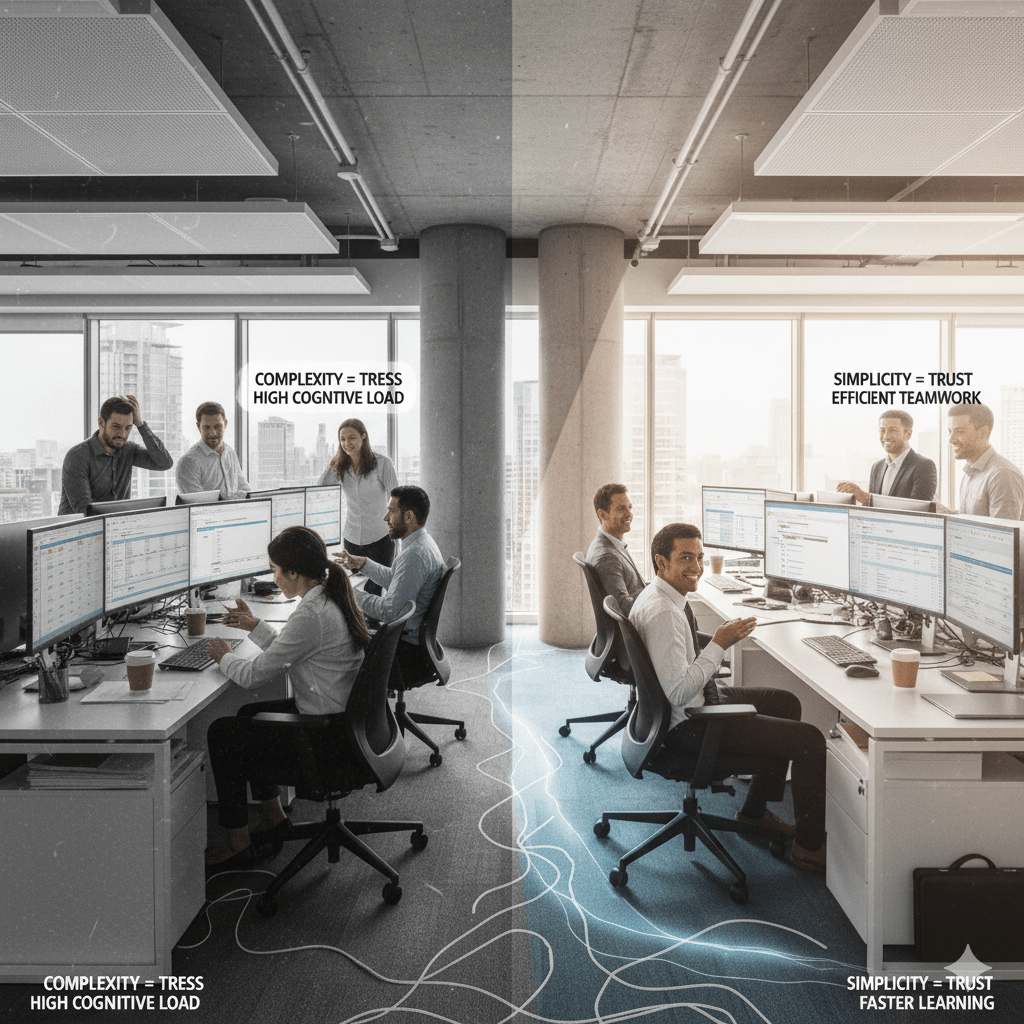
Seldom are software decisions based solely on specifications. People first is a common theme among teams that have switched from a complex enterprise system to something more straightforward. Easy-to-use tools speed up change, foster trust, and lessen friction. FileMaker frequently prevails in the context of business applications because it respects human thought, learning, and work processes rather than because it has every feature imaginable.
The psychology underlying that preference is examined below, along with how the theory relates to particular FileMaker strengths and useful lessons for executives choosing to digitize their workflows.
Human factors that favor simplicity
Cognitive load: people have limited working memory
Humans can only juggle a few pieces of information at once. Cognitive load theory says the more options, menus, and steps a user must remember, the more likely they are to make mistakes or avoid the tool altogether. Simple interfaces and clear workflows reduce mental overhead so users can focus on the task, not the tool.
How FileMaker helps: FileMaker apps are typically tailored to a specific workflow (order entry, inventory checks, patient intake). That targeted design removes unnecessary screens and choices, so users see only what’s relevant at each step.
Hick’s Law: choice slows people down
Hick’s Law states that the time it takes to make a decision increases with the number of choices. Complex enterprise systems often pack many features into a single UI—useful for power users, but confusing for the majority. Simpler apps surface the most-used actions first, speeding decision-making.
How FileMaker helps: Designers can create role-based layouts and conditional visibility in FileMaker so users only see the controls they need. Fewer visible choices = faster actions.
Learnability & the path to competence
People adopt tools that let them get useful results quickly. Fast wins—completing a task in minutes rather than days—build confidence and momentum. That’s why “time-to-first-success” is often the key metric for adoption.
How FileMaker helps: With low-code building blocks and rapid prototyping, FileMaker makes it possible to create functional apps in days. Non-technical staff can be shown a workflow, test it, and start using it immediately, reducing resistance to change.
Error tolerance & psychological safety
When a system is complicated, users become fearful of breaking things. This fear reduces experimentation and silences feedback. Simpler systems that give clear feedback and safe undo paths encourage learning and continuous improvement.
How FileMaker helps: FileMaker apps can be built with validation rules, friendly error messages, and versioned backups — lowering perceived risk and making users more willing to engage.
Behavioral effects that increase productivity
Reduced friction = higher engagement
Every extra click, unclear label, or poorly organized screen adds “friction.” Over time, friction compounds into avoidance. Teams using simple, targeted apps engage more consistently—leading to better data hygiene and more accurate reporting.
FileMaker advantage: Custom forms, guided workflows, and built-in scripts can automate repetitive actions so users accomplish more with fewer steps.
Faster onboarding and role transitions
When a tool is simple, onboarding time drops dramatically. That matters in fast-moving teams where people change roles or responsibilities frequently.
FileMaker advantage: Because apps are purpose-built and screens map to tasks, new hires can be productive much faster than when learning large, multi-purpose platforms.
Better decision-making from clear data
Simple apps often prioritize clear data visualizations: dashboards, alerts, and contextual notes. When information is presented clearly, managers make quicker, more confident decisions.
FileMaker advantage: FileMaker dashboards are flexible: designers can show exactly the KPIs and visuals each role needs—no extra noise.
Trust, control, and the human ownership of tools
Ownership beats vendor-dependency
When teams can shape their tools, they feel ownership. That sense of control increases adoption and keeps the tool aligned to evolving needs.
FileMaker advantage: FileMaker empowers in-house admins and “citizen developers” to tweak forms, add fields, and automate flows without waiting months for vendor changes.
Predictability builds trust
People trust systems that behave consistently. Predictable workflows, consistent UI patterns, and clear error handling all contribute to trust.
FileMaker advantage: Because FileMaker apps are designed for known workflows and can enforce business rules, users quickly learn what to expect and trust the outputs.
Social and organizational psychology: how simplicity scales
Social proof and local champions
When one team member shows a simple workflow that saves time, others are likely to adopt it. The human tendency to copy simple, visible successes fuels internal spread.
FileMaker advantage: Quick prototypes and visible dashboards create the kind of “office demos” that create social proof—others want the same benefit.
Reducing political friction
Big, complex enterprise rollouts are political: procurement cycles, IT gatekeeping, lengthy vendor contracts. Simpler internal apps can be piloted by a team and scaled organically with less institutional friction.
FileMaker advantage: Because FileMaker supports a phased approach—pilot → iterate → scale—teams can prove value before seeking large budgets.
Practical evidence: what teams actually gain
(These are commonly reported, practical outcomes you can expect when moving from complex software or sprawling spreadsheets to a simple FileMaker solution.)
- Faster task completion: Streamlined screens and automation reduce repetitive steps.
- Fewer data errors: Field validation and controlled inputs cut inconsistent entries.
- Higher adoption rates: Shorter training and visible wins increase user buy-in.
- Improved collaboration: Centralized, role-based access removes version-control headaches.
- Greater agility: Quick changes to forms and workflows mean software evolves with the business.
Design patterns that make FileMaker apps “feel” simple
If you want a FileMaker app that teams will love, adopt these human-centered design patterns:
- One-screen task flows: Keep a single task per screen when possible.
- Progressive disclosure: Show advanced options only when users need them.
- Role-based UIs: Tailor views by job role—what a salesperson needs differs from finance.
- Clear affordances: Make actionable buttons obvious and destructive actions hard to miss.
- Immediate feedback: Confirm saves, validations, and automations with friendly messages.
- Undo & safe recovery: Offer rollbacks or drafts to reduce fear of mistakes.
- Visual hierarchy: Use spacing, typography, and color to guide attention.
For leaders: how to evaluate simplicity before buying
When your team evaluates tools, ask questions that reveal psychological fit, not just technical fit:
- How quickly can a typical user complete their core task? (Time-to-first-success)
- Can non-technical staff modify screens or fields safely?
- How are errors explained to users? Are messages helpful or cryptic?
- Does the system support role-based simplification?
- How easy is it to prototype and test real workflows with actual users?
If answers lean toward clarity, testability, and low barrier-to-change, you’re probably on the right track.
Final thought: simplicity is a strategic advantage
Simplicity isn’t just aesthetics; it’s a business strategy rooted in human psychology. Tools that reduce cognitive load, minimize choice paralysis, and build user confidence create real organizational momentum. That’s why teams consistently prefer FileMaker for many operational needs: it’s not simply about features — it’s about empowering people to get work done with clarity and speed.


