
Working with developers
FileMaker Developer Rates in 2026 and How to Vet a Developer Before Hiring
By FileMaker Programmer team7 min read
In this article
Hiring a FileMaker developer is one of the most important decisions you will make about your system. A good developer builds something your team relies on for a decade. A poor one leaves you with a fragile file that nobody else wants to touch. Price matters, but it is a weak signal of quality on its own.
This guide explains what FileMaker developer rates look like in 2026, why they vary so much, how projects are usually priced, and — most importantly — how to vet a developer before you sign anything.
What FileMaker developers charge in 2026
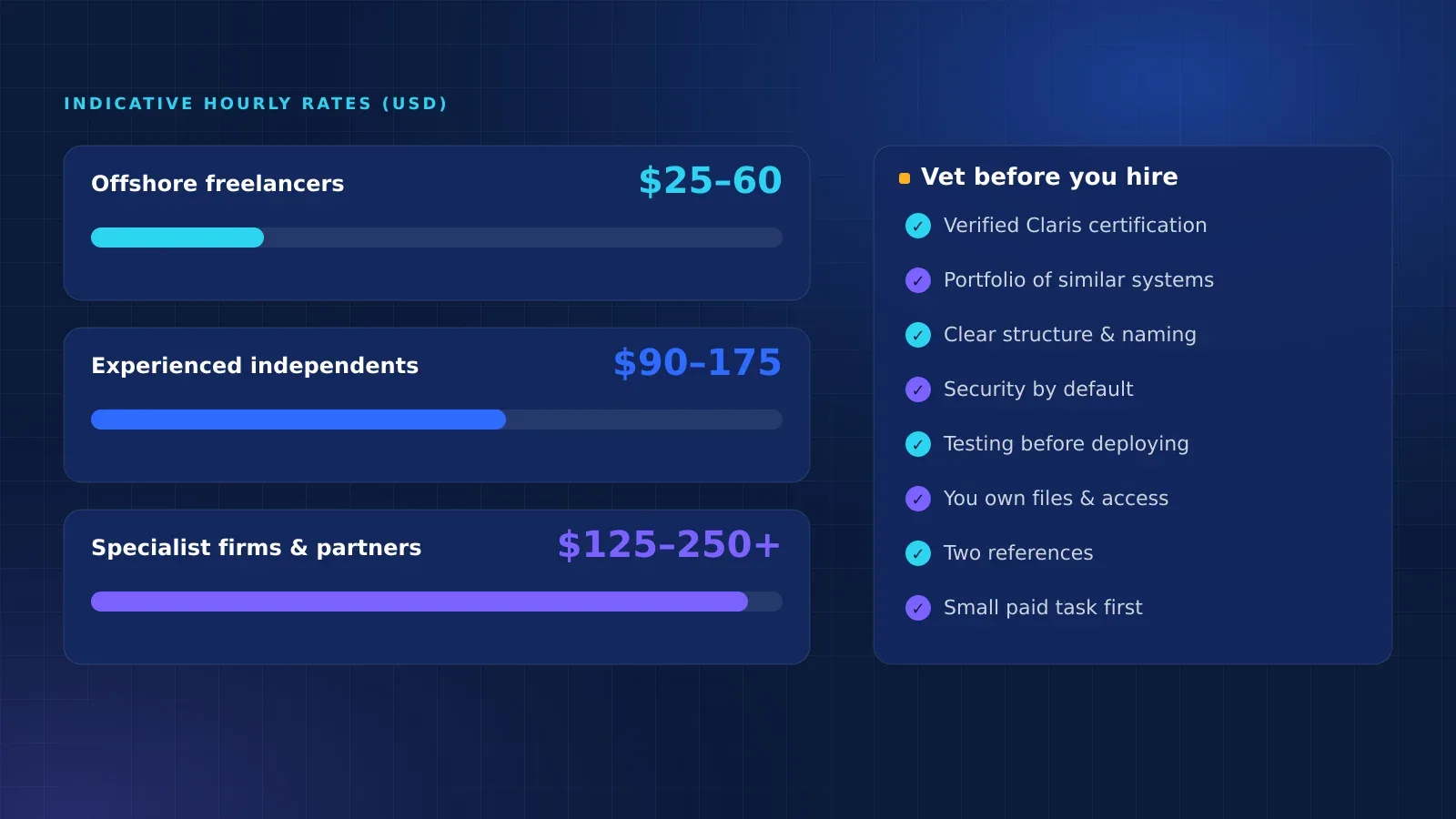
Rates depend on location, experience, specialisation and whether you hire an individual or a firm. The ranges below are indicative, based on what we see across the market; they are not quotes, and you will find people above and below them.
Type of developer | Typical hourly range (USD) |
Offshore freelancers | 25–60 |
Experienced independent developers (US, UK, EU, Australia) | 90–175 |
Specialist firms and Claris Partners | 125–250+ |
For context, employed FileMaker developers in the United States earn an average of around US$77,000 a year, or roughly US$37 an hour, according to ZipRecruiter’s data for September 2026. Contractor and agency rates are higher because they include everything an employer normally pays for: equipment, software, training, insurance, project management, holidays and the time spent finding the next project.
Why rates vary so much
• Experience with complex systems. Building a contact list is very different from designing a multi-department operations system with integrations, audit trails and hundreds of users.
• Breadth of skills. Modern FileMaker work often involves APIs, JavaScript, SQL, web portals, server administration and security. Developers who cover these charge more — and save you from hiring several people.
• Process. Firms that offer discovery, documentation, testing, version control and support build those activities into their rates.
• Availability and continuity. A team can cover holidays and illness; a single freelancer can’t.
• Location and currency. Offshore developers can offer excellent value, but time zones, communication and continuity need managing.
How FileMaker projects are priced
Hourly or time-and-materials
You pay for the hours worked, usually against an estimate. This suits evolving requirements, maintenance and support. Ask for regular time reports and an agreed cap per phase.
Fixed price per phase
Common for well-defined work. The developer quotes a price for a specific scope; changes go through a change request. It gives budget certainty but needs a clear specification — usually produced in a paid discovery or prototyping phase.
Retainers and support plans
A monthly block of hours or a support agreement for ongoing improvements, updates and help. Retainers usually come at a better rate and guarantee response times. See our FileMaker support options.
What projects typically cost
As a broad guide, small fixes and reports take hours; a focused new module takes days to a few weeks; a complete custom system for a growing business usually takes several months of work in phases. The quickest way to an accurate number is a short discovery session with your real data and workflows.
The cheapest developer is rarely the cheapest system
A lower rate can cost more overall when:
• work takes longer because the developer is learning on your project,
• the structure is poor, so every later change is slow and risky,
• nothing is documented, so the next developer must reverse-engineer it,
• security, backups and performance are left out because nobody asked.
When comparing quotes, compare the total cost of ownership over three years — build, changes, support and the risk of a rebuild — not the hourly figure.
How to vet a FileMaker developer
1. Check certification and credentials
Claris offers certifications through Claris Academy, including the App Developer for Claris FileMaker Pro series at Associate, Specialist and Expert levels, and a separate Claris FileMaker Server Administrator series. Badges are issued through Credly and can be verified online. Certification shows a baseline of platform knowledge; it doesn’t replace a portfolio. Membership of the Claris Partner programme is another useful signal.
2. Look at real work
Ask for screenshots or a short demo of systems similar to yours, with confidential data hidden. Look for clean, consistent layouts, sensible navigation and evidence that the system is in daily use.
3. Ask how they structure a solution
Good answers mention a planned data model, consistent naming conventions, separation of data and interface, commented scripts and reusable custom functions. Vague answers are a warning sign.
4. Ask about security
They should talk about individual accounts, least-privilege privilege sets, encryption at rest and in transit, external authentication and how they protect API credentials. If security only comes up when you mention it, keep looking.
5. Ask about integrations and the web
Most systems today connect to something — accounting, e-commerce, email, AI or a web portal. Ask how they have used the FileMaker Data API, Claris Connect or direct API calls, and how they handle errors and logging. Our guide to connecting FileMaker with web applications and APIs shows what good practice looks like.
6. Ask how they test and deploy changes
Do they work on a copy, test before deploying, keep backups before changes and deploy at agreed times? Changes made directly on the live file during business hours are a red flag.
7. Ask what you will own
You should own the files, full access credentials, documentation and any code written for you. Avoid arrangements where only the developer holds the admin password.
8. Ask for references
Speak to at least two current clients, ideally one who has worked with them for more than a year.
9. Start with a small paid task
A short audit, a report or a small feature reveals communication, quality and reliability before you commit to a large project. A FileMaker system audit is an ideal first engagement because it also tells you where your system stands.
Red flags
• A fixed price for a large project without understanding your data or processes.
• No questions about your business — only about features.
• No written estimate, scope or change process.
• Reluctance to share credentials, documentation or the files.
• No mention of backups, testing or security.
• Promising everything in an unrealistically short time.
Questions to ask in the first call
1. How long have you worked with FileMaker, and which versions?
2. Are you certified, and can I verify it?
3. Can you show a system similar to ours?
4. How would you approach discovery for our project?
5. How do you estimate and report time?
6. How do you handle changes to scope?
7. How do you test and deploy updates?
8. How do you secure accounts, data and API keys?
9. What documentation will we receive?
10. Who covers support if you are unavailable?
11. Which integrations have you built recently?
12. What would you do first if you took over our current system?
Freelancer or agency?
A freelancer can be excellent value for focused work and smaller systems, especially with a direct relationship. An agency or Claris Partner suits larger systems, broader skills (web, integrations, hosting, design) and businesses that need continuity and guaranteed support. Many companies use both: a firm for architecture and major phases, and a trusted individual for day-to-day changes.
Frequently asked questions
How much does a FileMaker developer cost per hour?
Indicatively, from about US$25–60 for offshore freelancers to US$90–175 for experienced independents in the US, UK and EU, and US$125–250 or more for specialist firms. Rates vary with experience and location.
Is a Claris certified developer worth paying more for?
Certification confirms platform knowledge and is a good filter, but always combine it with a portfolio, references and a small paid task.
Should we pay hourly or fixed price?
Fixed price suits well-defined phases; hourly suits evolving needs and support. Many projects combine a paid discovery with fixed-price phases and an hourly or retainer arrangement afterwards.
Can a new developer take over our existing FileMaker system?
Yes. A good developer will start with an audit of structure, scripts, security and integrations, then recommend what to fix before adding new features.
How do we avoid being locked in to one developer?
Insist on full admin access, documentation, clean naming and ownership of everything built for you, and keep copies of your files and credentials.
Conclusion
FileMaker developer rates in 2026 range widely, and the rate alone tells you little about the system you will end up with. Judge developers on how they structure solutions, secure data, test changes, document work and communicate — then start with a small paid task before committing to a big project.
If you are looking for a FileMaker partner, tell us about your system and goals. We will be clear about scope, estimates and what you will own, and we are happy to begin with an audit or a small, well-defined piece of FileMaker development.
Related articles

Working with developers
Common Mistakes in FileMaker Systems — and How Our Team Fixes Them
Read article
Working with developers
Why Hiring Experts for Your FileMaker App Saves Time, Money, and Stress
Read articleTurn ideas into a working system
Share what you’d like to build or improve, and we’ll suggest a practical first step.