Business strategy
FileMaker Cloud vs Self-Hosted FileMaker Server: Cost, Control and Uptime
By FileMaker Programmer team7 min read
In this article
Every shared FileMaker solution runs on a server. The question is whose server, and who is responsible when something goes wrong at 7 a.m. on a Monday. Claris gives you two routes: FileMaker Cloud, where Claris runs the infrastructure, and self-hosted FileMaker Server, where you — or a hosting partner — run it.
Both are solid choices. They differ in three things that matter to a business: what you really pay over a year, how much control you have, and how you keep the system available. This guide compares FileMaker Cloud vs FileMaker Server on exactly those points. For the current licence prices of each plan, see our separate guide to Claris FileMaker pricing in 2026.
The short answer
• Choose FileMaker Cloud if you want the least administration, have a small to mid-sized team, and your solution doesn’t depend on server plug-ins or deep server customisation.
• Choose self-hosted FileMaker Server if you need plug-ins, specific integrations or data locations, more control over performance and maintenance windows, or lower licence cost per user at larger team sizes.
The rest of this article explains how to tell which group you are in.
What each option actually is
FileMaker Cloud
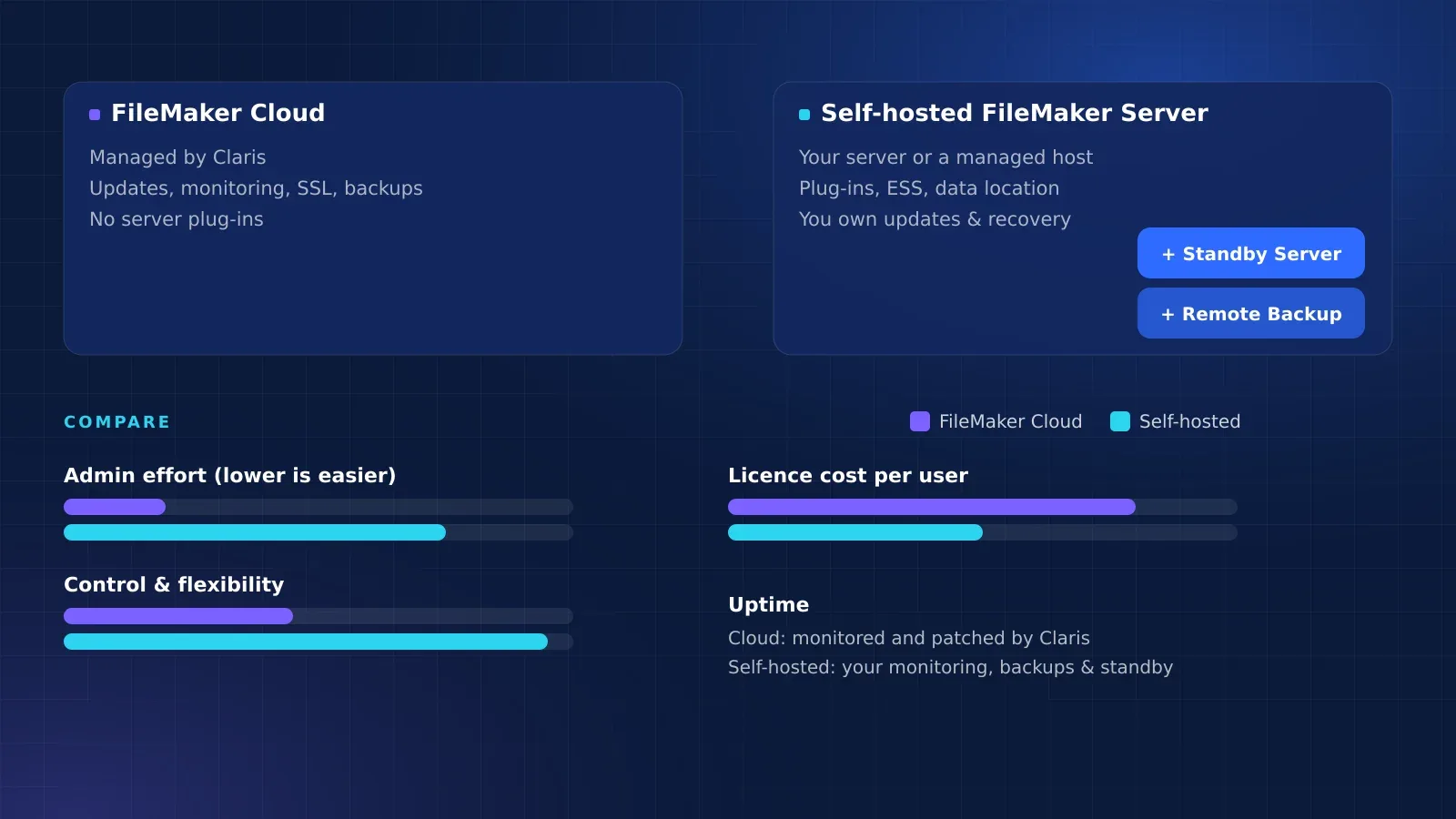
FileMaker Cloud is Claris’s hosted service. Claris provisions the server, applies updates, monitors it around the clock, manages SSL and handles the operating system. You upload your files, manage users and backups from a web console and connect with FileMaker Pro, FileMaker Go, WebDirect, the Data API and OData. Sign-in uses Claris ID, with single sign-on options.
Self-hosted FileMaker Server
FileMaker Server is software you install on macOS, Windows Server or Ubuntu Linux — on your own hardware, a virtual machine at a cloud provider, or with a managed FileMaker hosting partner. You (or your host) control the operating system, storage, network, backups, plug-ins and update timing.
Cost: look beyond the per-user price
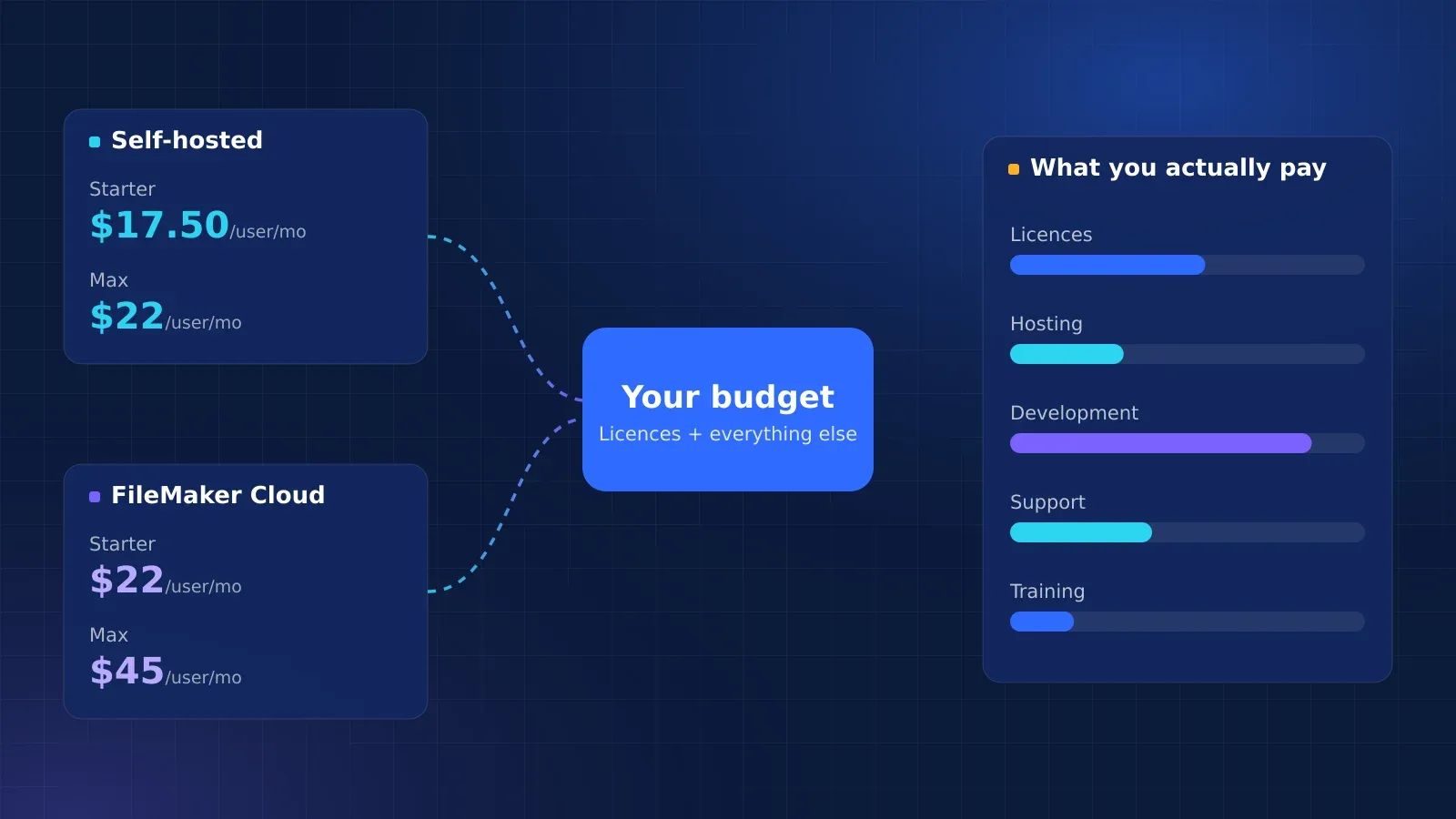
Self-hosted licences cost less per user than FileMaker Cloud at the same tier, but that comparison leaves out what the cloud price includes.
FileMaker Cloud includes: the server, compute, storage allowance, operating system, patching, monitoring and SSL. Your only other costs are development and support.
Self-hosted adds:
• the server itself (hardware or a monthly virtual machine),
• an SSL certificate and a domain,
• off-site backup storage,
• administration time — updates, monitoring, disk space, certificate renewals,
• optional Claris add-ons for FileMaker Server 2026: Remote Backup (from US$120 per year) and Standby Server (US$500 per year).
A useful rule of thumb from our projects: for small teams, FileMaker Cloud is usually the cheaper all-in option once a server and someone’s time are priced in. As user numbers grow, the per-user saving of self-hosting starts to outweigh the fixed cost of running a server well — provided that server is actually run well.
Control: what you can and can’t change
This is where the two options differ most.
FileMaker Cloud | Self-hosted FileMaker Server | |
Server plug-ins | Not supported | Supported |
Operating system access | None | Full |
Update timing | Managed by Claris | You decide |
Server hardware and sizing | Set by plan | Your choice |
Data location | Claris-managed regions | Wherever you host it |
External SQL Sources (ESS) | Limited set | Wider choice, including third-party adapters |
Scheduled scripts and server-side scripts | Yes (without plug-ins) | Yes |
Custom web server settings | No | Yes |
The plug-in row decides many cases. If your solution uses server-side plug-ins for PDF handling, file system access, image processing or legacy integrations, scripts that rely on them will not run on FileMaker Cloud. Many plug-in tasks can now be replaced with native features, JavaScript or API calls — but that is a development task to plan, not a hosting switch.
Data location matters for some sectors and clients. If contracts or regulations say where data must sit, self-hosting (or a hosting partner in the right country) gives you a definite answer.
Uptime: how each option stays available
No hosting option is “always up”. What matters is how quickly problems are noticed and how quickly you recover.
FileMaker Cloud
Claris monitors the service around the clock and applies fixes and updates for you. You don’t control maintenance windows, but you also don’t carry the risk of an unpatched server or a full disk. Backups are created automatically and can be restored from the console.
Self-hosted FileMaker Server
Uptime depends on how the server is run. A well-run server typically has:
• monitoring and alerts for the FileMaker services, disk space, memory and certificate expiry,
• regular, tested backups — FileMaker Server’s own scheduled and progressive backups, copied off the server,
• a recovery plan — Claris’s Remote Backup add-on keeps encrypted off-site backups every 20 minutes with 30-day retention by default, and the Standby Server add-on keeps a second server in sync (every 5 minutes by default) for manual failover,
• planned update windows outside business hours.
A self-hosted server without these is not a cheaper version of FileMaker Cloud; it is a risk. If you don’t have someone to own them, use FileMaker Cloud or a managed host.
Performance
FileMaker Cloud plans set the compute available: the Starter tier has a fixed size, while Max scales with your user count. That is enough for most solutions.
Self-hosting lets you choose faster storage, more memory and the location nearest your users. For heavy solutions — large files, many WebDirect users, busy integrations — that flexibility can make a visible difference. In both cases, the biggest performance gains usually come from the solution itself: indexes, unstored calculations, layout design and script efficiency. A FileMaker system audit shows where time is really being lost.
Security
Both options support encryption in transit and at rest, strong authentication and fine-grained privileges. The difference is responsibility:
• On FileMaker Cloud, Claris secures the infrastructure; you secure accounts, privileges and the solution.
• On self-hosted servers, you also own operating system patching, firewall rules, open ports, certificates and backup protection.
Neither removes the need for good practice inside the file: unique accounts, least-privilege access, encryption at rest and regular reviews.
Moving between the two
Moving a solution from FileMaker Server to FileMaker Cloud (or back) is common and usually straightforward for the data itself. The work is in the details:
• replacing plug-in features before moving to the cloud,
• updating integrations, Data API addresses and external connections,
• re-creating schedules and backup routines,
• testing with real users before the switch.
Plan a short test period on the new host before cutting over. Our FileMaker upgrade and hosting work often combine the two moves when an older server is due for replacement.
Which one fits you?
FileMaker Cloud is usually right when:
• you have no in-house server administrator and don’t want a hosting supplier,
• your team is up to a few dozen users,
• your solution has no server plug-in dependencies,
• predictable monthly cost matters more than fine control.
Self-hosted FileMaker Server is usually right when:
• you rely on plug-ins, ESS connections or special server settings,
• you need data in a specific country or on your own network,
• you have 25 or more users and someone competent to run the server,
• you want to control update timing around critical business periods.
A managed host is the middle path: you get FileMaker Server’s control without running it yourself.
Frequently asked questions
Is FileMaker Cloud more reliable than self-hosting?
Not automatically, but it removes the most common causes of downtime — missed updates, full disks and expired certificates. A self-hosted server with monitoring, tested backups and a standby can be just as reliable.
Can FileMaker Cloud use plug-ins?
No. FileMaker Cloud does not support server-installed plug-ins, so scripts that need them won’t run there. Check every server-side script before moving.
Is self-hosting cheaper?
The licence is cheaper per user. Whether the total is cheaper depends on server, backup and administration costs. For small teams the cloud is often cheaper overall; for larger teams self-hosting often wins.
Can we switch later?
Yes. Solutions can move between FileMaker Cloud and FileMaker Server; plan for plug-in replacements, integration changes and a test period.
What about backups on FileMaker Cloud?
Claris creates backups automatically and you can restore them from the console. Many businesses also keep an independent copy for extra safety, which is good practice on any host.
Conclusion
FileMaker Cloud trades control for simplicity: Claris runs the server, and you focus on the solution. Self-hosted FileMaker Server trades simplicity for control: plug-ins, data location, performance tuning and maintenance timing are yours — and so is the responsibility for uptime.
If you are choosing a host or thinking of moving, tell us about your solution and users. We will check plug-ins, integrations and growth plans, recommend FileMaker Cloud, self-hosting or a managed hosting option, and handle the move without disrupting your team.
Related articles

Turn ideas into a working system
Share what you’d like to build or improve, and we’ll suggest a practical first step.