Business strategy
FileMaker Alternatives in 2026: An Honest Guide From FileMaker Developers
By FileMaker Programmer team7 min read
In this article
We build and support Claris FileMaker systems for a living, so you might expect this article to conclude that you should never leave. It won’t. FileMaker is an excellent platform for many businesses and a poor fit for some, and the alternatives have improved a great deal. The right answer depends on who uses your system, where they use it and what you need it to do over the next five years.
This guide compares the main FileMaker alternatives in 2026, explains what each does well and badly, and gives a practical way to decide — including when the best alternative is a better-built FileMaker system rather than a new platform.
Why businesses look for a FileMaker alternative
In our experience the reason is rarely “FileMaker can’t do it”. It is usually one of these:
• Cost per user. Licensing every person who needs occasional access feels expensive, especially for large or seasonal teams. (See our breakdown of Claris FileMaker pricing in 2026.)
• External users. Customers, suppliers or the public need access, and FileMaker WebDirect isn’t designed for that scale.
• Skills and continuity. The original developer has left and the system is hard to maintain.
• Company standards. IT has standardised on Microsoft, Google or a particular cloud, and FileMaker sits outside it.
• Age and design. The solution was built fifteen years ago, looks it and performs like it.
Notice that the last two problems are often solved without changing platform. It is worth being clear about which problem you are actually trying to fix before comparing tools.
What to compare before you look at any tool
Score every option, including your current FileMaker system, against the same criteria:
1. Who uses it — internal staff only, or also customers, suppliers and the public?
2. Where they use it — desktop, iPhone and iPad, Android, browser, offline in the field?
3. Data complexity — a few lists, or dozens of related tables with transactions, approvals and history?
4. Business logic — simple forms, or scripted workflows, calculations and document generation?
5. Integrations — accounting, e-commerce, email, AI, other databases?
6. Ownership — who can change it, and how hard is it to hire for?
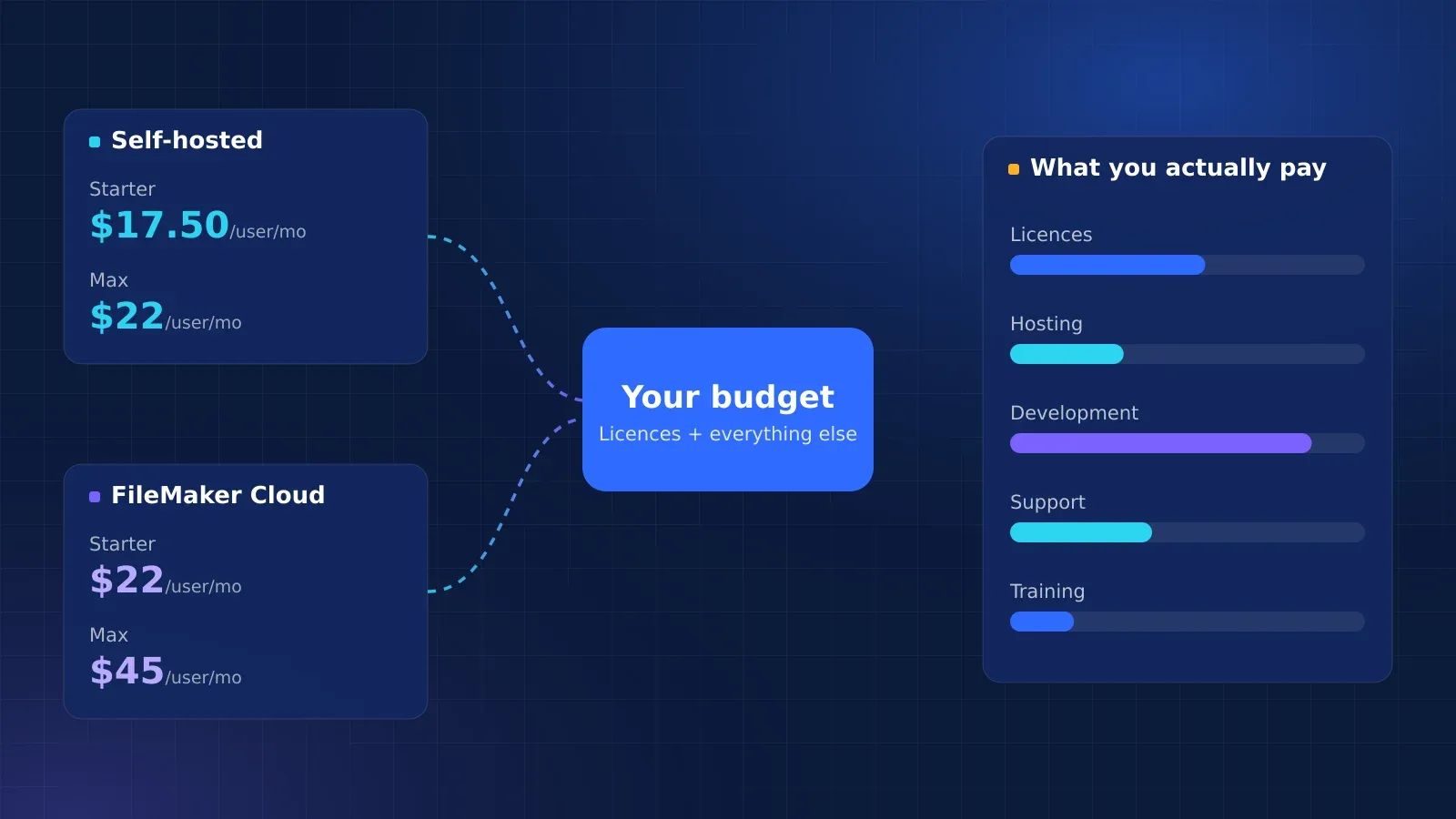
7. Total cost over five years — licences, hosting, build, migration and maintenance.
The main FileMaker alternatives
Microsoft Power Apps (with Dataverse)
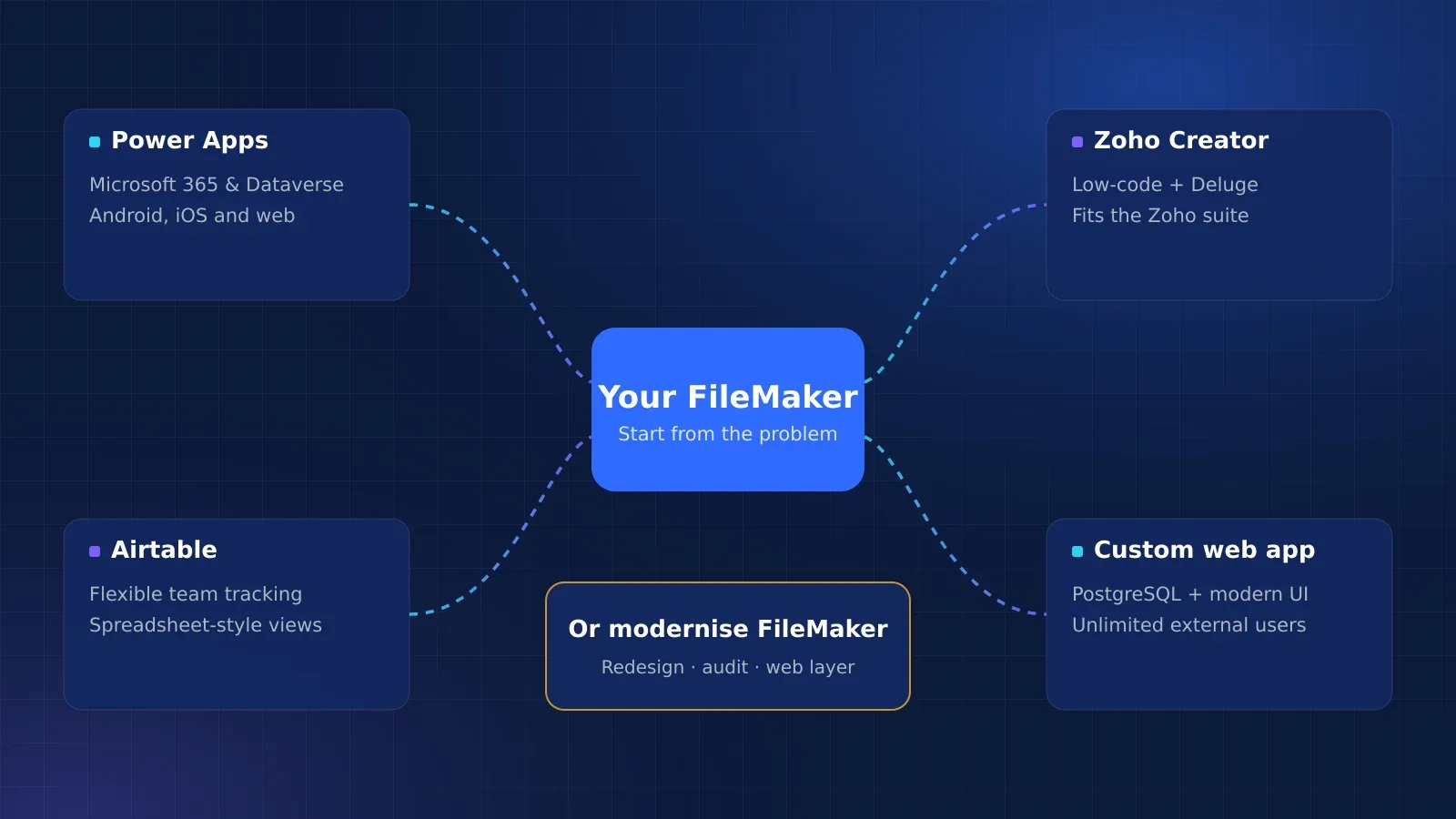
Power Apps is Microsoft’s low-code platform, usually paired with Dataverse or SharePoint for data and Power Automate for workflows.
Strengths: fits naturally into Microsoft 365 and Azure, uses existing Microsoft accounts and security, runs on Android as well as iOS and web, and has a large hiring pool.
Watch for: licensing is layered and can become complex across premium connectors, Dataverse capacity and per-app or per-user plans. Complex relational screens and transactional logic take more effort than in FileMaker, and good Power Apps developers are not cheaper than good FileMaker developers.
Best for: organisations already standardised on Microsoft that need straightforward apps and approvals across a large staff.
Airtable
Airtable combines a spreadsheet-style interface with database features, views, forms and automations.
Strengths: very fast to start, easy for non-technical teams, strong collaboration and a large library of integrations.
Watch for: it is not designed for deep relational logic, scripted transactions or complex reporting. Plans limit records and automation runs, and large bases can become slow and hard to govern.
Best for: marketing, content and project tracking where flexibility matters more than strict data rules.
Zoho Creator
Zoho Creator is a low-code platform for web and mobile apps with its own scripting language, Deluge.
Strengths: reasonable cost for small teams, mobile apps included, and close ties to the wider Zoho suite (CRM, Books, Desk).
Watch for: the scripting language and platform are specific to Zoho, so the skills and the app are less portable. Highly customised interfaces are harder than in FileMaker.
Best for: businesses already using Zoho products that want connected internal apps.
Quickbase
Quickbase is an enterprise-oriented low-code database platform for operational apps.
Strengths: strong governance, permissions and auditing for larger organisations, and good at structured operational workflows.
Watch for: pricing is aimed at larger teams, and interface design is more constrained than FileMaker’s layouts.
Best for: mid-sized and larger companies that need many governed operational apps built by business teams.
Internal-tool builders on top of a SQL database
Tools such as Retool and similar builders let developers assemble internal screens on top of an existing database like PostgreSQL or an API.
Strengths: quick to build admin panels and dashboards; the data lives in a standard database you control.
Watch for: you need a developer to design and run the database, and the tool is only the interface. Offline mobile use and document-heavy workflows are not their strength.
Best for: companies with developers who want to move data into SQL and build internal screens quickly.
A custom web application
A bespoke application — for example a modern JavaScript front end on a PostgreSQL database — built by a development team.
Strengths: no per-user platform licence, unlimited external users, full control of design, performance, SEO and security, and access from any device.
Watch for: the highest build cost and timeline, and every feature FileMaker gives you for free (layouts, reports, scripting, user management) must be built and maintained. You need a long-term development partner.
Best for: customer-facing products, public portals, very large user counts or systems that are central to your business model. Our custom web application service and guide to migrating FileMaker data to PostgreSQL cover this path.
Quick comparison
Need | Best fit |
Complex internal data, fast changes, Apple devices | FileMaker |
Microsoft-standardised organisation, Android devices | Power Apps |
Flexible tracking for non-technical teams | Airtable |
Zoho-based business wanting connected apps | Zoho Creator |
Governed operational apps in a larger company | Quickbase |
Internal screens over a SQL database | Internal-tool builder |
Thousands of external users, public product | Custom web app |
When staying on FileMaker is the better choice
Moving platform is expensive. Every table, script, report and integration has to be rebuilt, tested and learned again. Before you migrate, consider whether these improvements solve the real problem:
• Modernise the interface. Many “we need to replace FileMaker” conversations end once the layouts are redesigned for today’s screens. See UI/UX design for FileMaker.
• Fix performance and structure. A system audit often finds slow calculations, missing indexes and fragile scripts that are cheap to fix.
• Upgrade the version. Older solutions miss years of platform improvements, including JSON functions, the Data API and AI features. Our FileMaker upgrade work keeps data and history intact.
• Add a web layer for outsiders. Keep staff in FileMaker and give customers a proper web portal — see building a customer portal on top of FileMaker.
• Right-size licences. A licensing review can bring costs down without changing a line of code.
A hybrid path: keep FileMaker, add the web
For many businesses the best answer is not either-or. Staff keep the FileMaker system they know, while a web application handles the audiences FileMaker doesn’t serve well — customers, suppliers, mobile workers on Android or the public. The web layer talks to FileMaker through the Data API, so there is one source of truth.
Platforms such as FmBetterForms make this faster by building modern web apps directly on FileMaker data. If the web side grows to become the main system, the migration can then happen gradually, module by module, instead of in one risky switch-over. Our article on FileMaker WebDirect limitations explains when that web layer becomes necessary.
How to decide in four steps
1. Write down the problem in one sentence. “Customers can’t see order status” leads somewhere different from “IT wants everything in Microsoft”.
2. List your must-haves. Offline use, Android, document generation, number of external users, specific integrations.
3. Prototype the hardest screen in the shortlisted tools, not the easiest one. The hardest screen reveals the real cost.
4. Compare five-year cost, including migration, retraining and maintenance — not just year-one licences.
Frequently asked questions
What is the closest alternative to FileMaker?
For internal relational apps built by a small team, Microsoft Power Apps, Zoho Creator and Quickbase are the closest low-code alternatives. None reproduces FileMaker exactly; each makes different trade-offs on interface design, scripting and licensing.
Is there a free alternative to FileMaker?
Open-source databases and frameworks have no licence fee, but someone must build, host and maintain the application, which usually costs more than a FileMaker licence for small teams.
Can we move our FileMaker data to another platform?
Yes. Data can be exported through CSV, ODBC or the Data API and imported elsewhere. Scripts, layouts and calculations do not transfer automatically and must be rebuilt.
How long does it take to replace a FileMaker system?
A small, well-structured system can move in a few weeks; a large operational system typically takes several months once business logic, testing and training are included. See our guide to what a FileMaker-to-web-app migration costs.
Is FileMaker still being developed?
Yes. Claris released FileMaker 2026 in June 2026 with AI-related features, WebDirect accessibility improvements and new server add-ons, and continues to publish yearly releases.
Conclusion
The best FileMaker alternative depends on the problem you are solving. Microsoft-centred organisations may be happier on Power Apps, flexible team tracking suits Airtable, and public or high-volume products deserve a custom web application. But many businesses get more value from modernising their FileMaker system, or adding a web layer for outside users, than from replacing it.
If you are weighing up a move, talk to us before you commit. We will give you an honest view — including when leaving FileMaker is the right call — and a realistic plan either way through our FileMaker consulting service.
Related articles

Turn ideas into a working system
Share what you’d like to build or improve, and we’ll suggest a practical first step.