Business strategy
Claris FileMaker Pricing in 2026: Licences, Cloud Plans and What You’ll Actually Pay
By FileMaker Programmer team9 min read
In this article
- How Claris licenses FileMaker today
- FileMaker Cloud plans: Starter vs Max
- Self-hosted FileMaker Server plans
- What about a single FileMaker Pro licence?
- The costs that are not on the pricing page
- Worked examples: what a year really costs
- Cloud or self-hosted: how to choose
- How to keep FileMaker costs under control
- Frequently asked questions
- Conclusion
Ask “how much does FileMaker cost?” and you will usually get a per-user number. That number is real, but it is rarely what a business ends up paying. Hosting, backups, the number of people who need access, the integrations you plan and the developer time to build and maintain the system all change the total.
This guide walks through Claris FileMaker pricing in 2026 as it stands today: the current plans, what each one includes, the costs that sit outside the licence, and worked examples you can adapt to your own team. Prices below are the list prices published by Claris in US dollars at the time of writing; always confirm the current figures before you buy, because plans and regional pricing change.
How Claris licenses FileMaker today
Since July 2025, Claris has sold the FileMaker platform in two tiers — Starter and Max — each available either hosted by Claris (FileMaker Cloud) or hosted by you (FileMaker Server, often called self-hosted or on-premise).
A few principles apply to every plan:
• You pay per user, billed annually. Plans start at 5 users. Each licensed user can work in FileMaker Pro on Mac or Windows, FileMaker Go on iPhone and iPad, and FileMaker WebDirect in a browser.
• Claris Connect and Claris Studio are included. Claris Connect is the platform’s integration and automation service; Claris Studio provides web-based views and forms. Starter includes 5 active Claris Connect flows and 10 Studio shared views; Max includes 50 flows and unlimited Studio shared views.
• API traffic has an allowance. The FileMaker Data API and OData — used by websites, portals and integrations — come with an outbound data transfer allowance. On the cloud plans it is 2 GB per user per month.
• Larger teams negotiate. Over 99 users, multi-year agreements and volume purchases go through Claris sales or a licensing partner. Education and non-profit pricing is also available for eligible organisations.
FileMaker Cloud plans: Starter vs Max
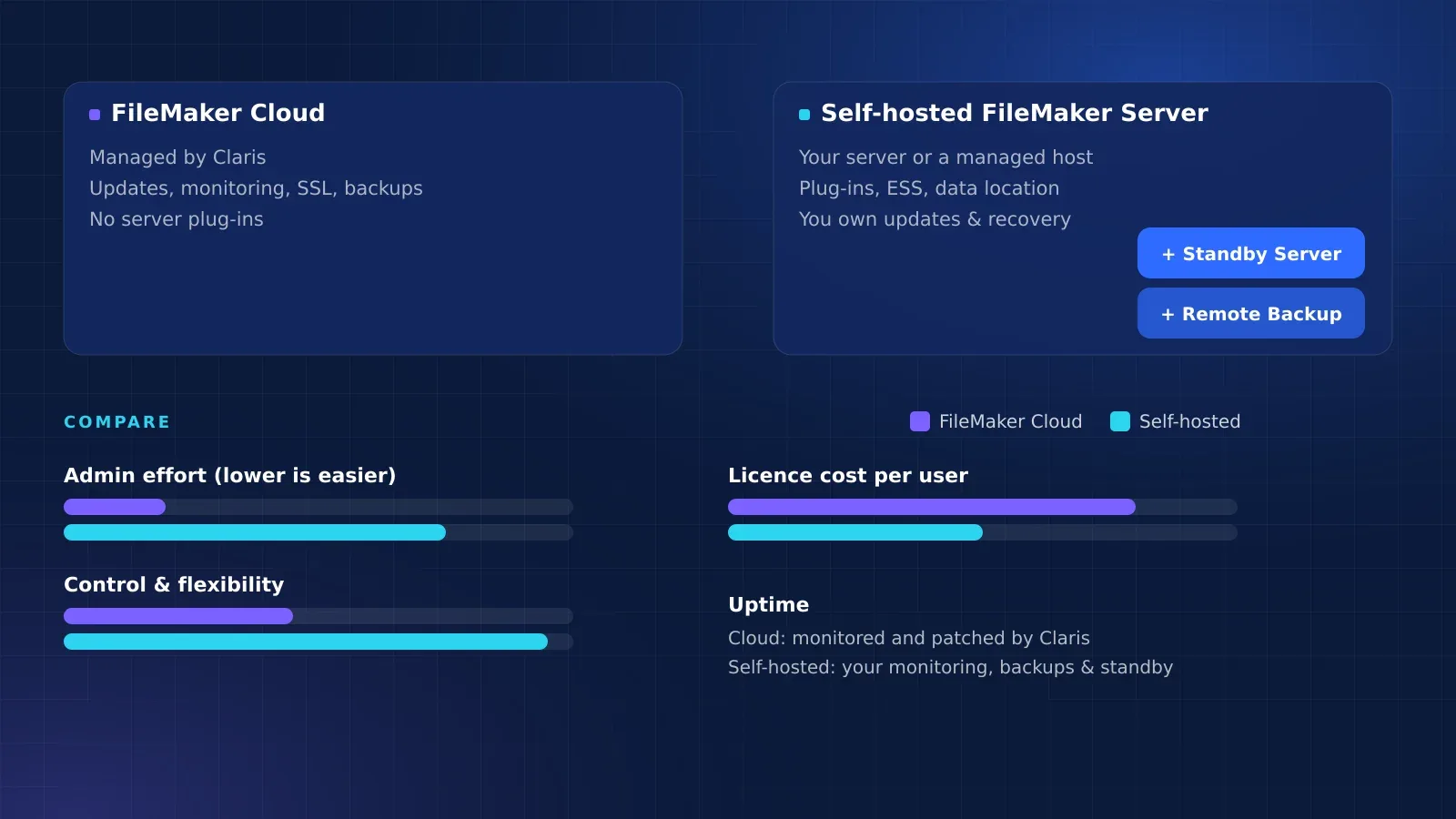
FileMaker Cloud means Claris runs the server for you: patching, monitoring, backups and SSL are handled, and you never touch an operating system.
Cloud Starter | Cloud Max | |
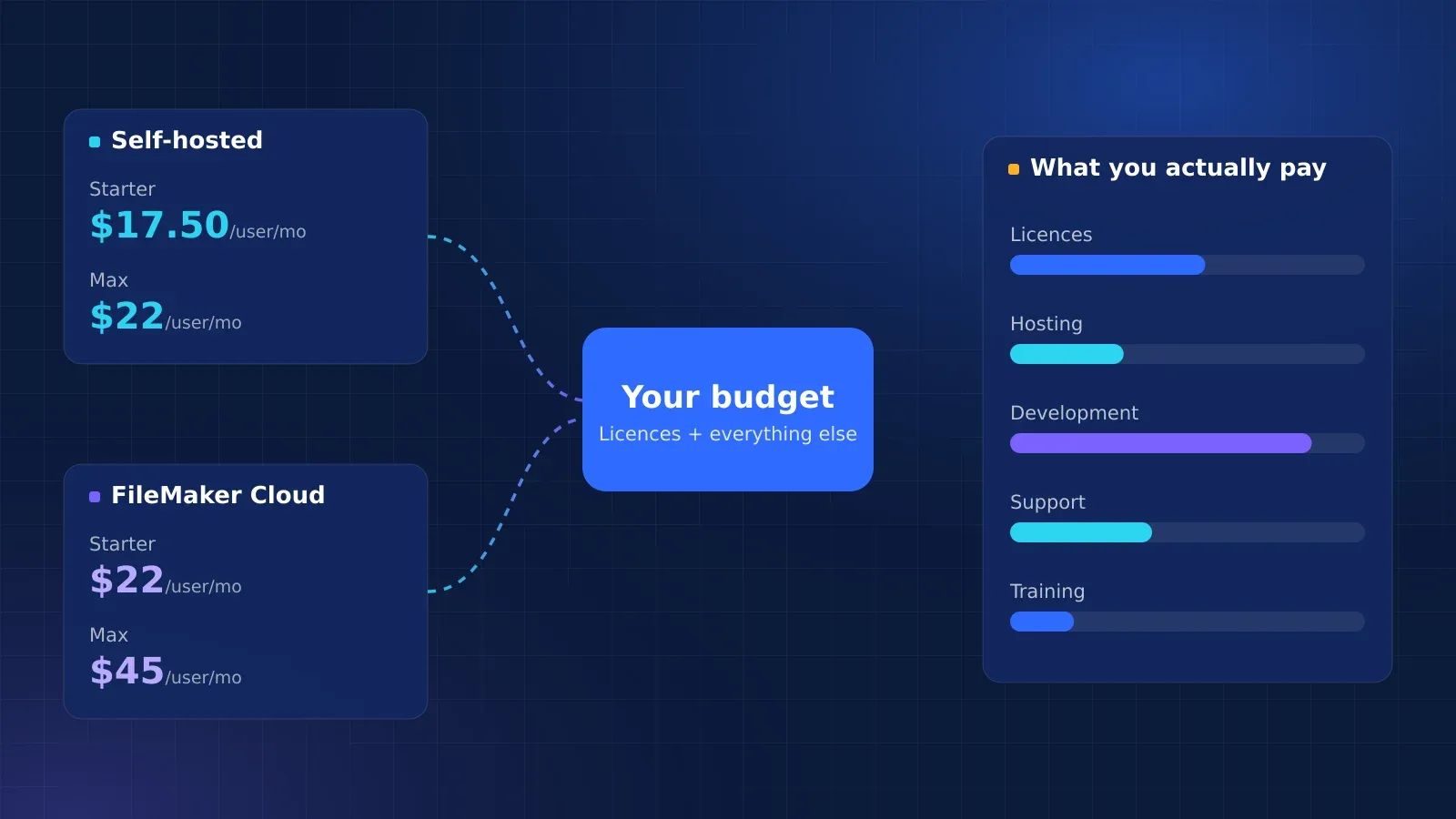
Price | US$22 per user per month | US$45 per user per month |
Users | 5–10 | 5–99 (100+ via sales) |
FileMaker apps hosted | Up to 3 | Up to 256 |
Storage | 2 GB per user per year | 6 GB per user per year |
Compute | Fixed (2 CPU, 8 GB RAM) | Scales with user count |
Claris Connect flows | 5 | 50 |
Cloud Starter suits a small team running one to three apps — for example a CRM, a job tracker and an inventory file. Its hard limits matter: you cannot add an eleventh user, a fourth app, or more storage. If you expect to grow, price Max from the start rather than planning a mid-year migration.
Cloud Max removes most of those ceilings and is the realistic choice for growing teams, heavier use of container fields (documents, photos, PDFs) or several departmental apps.
Self-hosted FileMaker Server plans
With a self-hosted plan you install FileMaker Server on your own hardware or on a cloud server you rent, such as a virtual machine with a hosting provider.
Self-hosted Starter | Self-hosted Max | |
Price | US$17.50 per user per month | US$22 per user per month |
Users | 5–99 | 5–99 (100+ via sales) |
Servers | Up to 3 | Up to 3 |
Claris Connect flows | 5 | 50 |
Self-hosting looks cheaper per user, and the licence is. But the licence does not include the machine, the operating system administration, backups, security updates or monitoring. Those are either your team’s time or a managed FileMaker hosting provider’s fee.
Claris also sells two optional add-ons for FileMaker Server 2026: Remote Backup, from US$120 per year including 5 GB (then US$120 per year for each extra 100 GB), and Standby Server, a continuously synced secondary server, at US$500 per year.
What about a single FileMaker Pro licence?
If one person builds and uses a database on their own computer and never shares it, a single FileMaker Pro licence is enough. It is sold as a one-off purchase through the Claris Store and resellers, and an upgrade price is available to owners of recent versions. The moment a second person needs the same data at the same time, you need a server — FileMaker Cloud or FileMaker Server — and a per-user plan.
The costs that are not on the pricing page
The licence is the predictable part of the budget. The items below are where estimates usually go wrong.
Hosting and infrastructure (self-hosted only)
A production FileMaker Server needs a reliable machine with enough memory, fast storage, a static address, a valid SSL certificate and an off-site backup routine. Renting a suitable cloud server, or paying a managed host to run it for you, is a recurring monthly cost on top of the licence.
Development and change requests
FileMaker’s speed of development is a genuine advantage, but custom software is still custom. The build cost depends on how many tables, screens, reports, roles and integrations you need. Budget separately for the first release and for the steady stream of improvements that follow once people start using it. Our guide to custom FileMaker business applications explains how scope drives that cost.
Integrations and API usage
Connecting FileMaker to accounting software, e-commerce, email or AI services uses the Data API, Claris Connect or direct API calls from scripts. Most integrations stay well within the included allowances, but a customer portal or a high-volume sync can use far more data than internal staff do. Estimate the traffic before you build — we cover this in detail in connecting FileMaker with web applications and APIs.
Support, upgrades and audits
New FileMaker versions arrive yearly. Most solutions upgrade cleanly, but plugins, server operating systems and older techniques sometimes need attention. Ongoing FileMaker support and an occasional system audit are cheaper than emergency fixes after an outage.
Training and adoption
A well-designed system still needs an afternoon of training for staff and a named internal owner. It is a small line item that protects everything else you spend.
Worked examples: what a year really costs
These examples show licence costs only, at the list prices above, to make plan comparisons easy. Add hosting (if self-hosted), development and support from your own quotes.
A five-person service business, one app.
Cloud Starter: 5 × US$22 × 12 = US$1,320 per year, with hosting included. Self-hosted Starter: 5 × US$17.50 × 12 = US$1,050 per year, plus the cost of running a server. At this size, the cloud plan is usually the better value once server costs are counted.
An eight-person team expecting to grow.
Cloud Starter: 8 × US$22 × 12 = US$2,112 per year — but the plan stops at 10 users. Cloud Max: 8 × US$45 × 12 = US$4,320 per year, with room to grow to 99 users and more apps.
A 25-user operations team with three departmental apps and heavy document storage.
Cloud Max: 25 × US$45 × 12 = US$13,500 per year. Self-hosted Max: 25 × US$22 × 12 = US$6,600 per year, plus a managed server. At this size self-hosting is often cheaper overall, provided someone competent looks after the server.
A 50-user company with a customer portal.
Self-hosted Starter: 50 × US$17.50 × 12 = US$10,500 per year; Max: 50 × US$22 × 12 = US$13,200 per year. Here the portal’s data transfer and the integration flows you need usually decide the tier, not the user count alone.
Cloud or self-hosted: how to choose
Choose FileMaker Cloud when:
• you have no in-house server skills and don’t want a hosting supplier,
• your team is small, or you value predictable, all-in pricing,
• you don’t rely on plugins or server-side features the cloud doesn’t support.
Choose self-hosted FileMaker Server when:
• you have 20 or more users and want the lowest licence cost per seat,
• you need plugins, specific server settings, or data held in a particular country or on your own network,
• you want to connect FileMaker to other databases on the same network.
If you are unsure, list the features you depend on and test them on a trial before committing — Claris offers a 45-day trial of FileMaker 2026.
How to keep FileMaker costs under control
• License the people who actually use it. Occasional viewers of reports may not need a full seat; a Claris Studio view or an emailed PDF can be enough.
• Choose the tier for next year, not this month. Moving from Cloud Starter to Max mid-term costs more effort than starting on the right plan.
• Design integrations efficiently. Request only the fields you need from the Data API and avoid polling every few seconds when a scheduled sync or webhook will do.
• Review annually. Before renewal, compare active users, storage and API traffic with what you pay for. A short licensing review often finds savings or a better-fitting plan.
• Maintain, don’t rebuild. Systems that are documented and kept up to date are far cheaper to own than ones that are rescued every few years.
Frequently asked questions
How much does FileMaker cost per user in 2026?
At list price, from US$17.50 per user per month for self-hosted Starter to US$45 per user per month for FileMaker Cloud Max, billed annually with a 5-user minimum. Hosting, development and support are extra.
Is there a free version of FileMaker?
There is no free plan for sharing data, but Claris offers a 45-day trial of FileMaker 2026, and FileMaker Go for iPhone and iPad is a free app that connects to licensed solutions.
Can I still buy a perpetual FileMaker licence?
Perpetual options exist through Claris volume and site licensing programmes and resellers, usually with a maintenance contract for upgrades. Most new customers choose annual plans; compare both over a three- to five-year period.
Are Claris Connect and Claris Studio extra?
No. Both are included with current FileMaker plans within the limits of your tier — 5 Connect flows and 10 Studio shared views on Starter, 50 flows and unlimited Studio views on Max.
Do customers using a web portal need FileMaker licences?
Portals built on the FileMaker Data API are generally metered by data transfer rather than by giving every visitor a seat, but your agreement decides. Confirm with Claris or a licensing partner before launch; see our guide to building a customer portal on top of FileMaker.
Is FileMaker cheaper than building a custom web app?
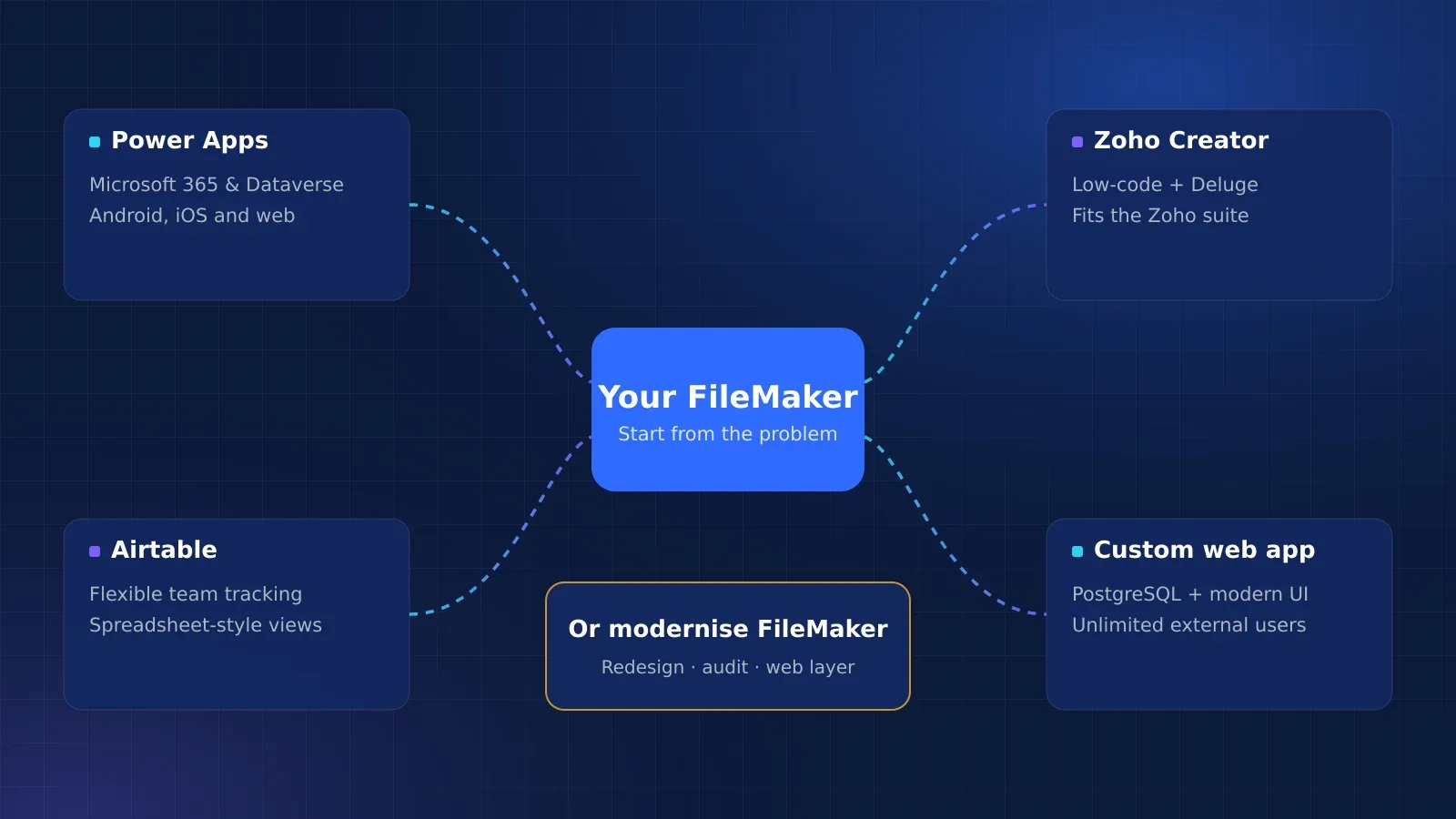
For internal business systems with up to a few dozen users, FileMaker is often cheaper to build and change. For thousands of external users or a public product, a custom web application can be cheaper to run. Our honest guide to FileMaker alternatives compares the options.
Conclusion
Claris FileMaker pricing in 2026 is simpler than it used to be: two tiers, two hosting choices, per-user annual billing, with integration and web tools now included. The real decision is the total cost of ownership — hosting, development, integrations and support — and which plan fits the team you will have next year.
If you would like a second opinion before you buy or renew, tell us about your users and apps. We will recommend the plan that fits, flag the costs that are easy to miss, and help you arrange the right Claris licences.
Related articles

Turn ideas into a working system
Share what you’d like to build or improve, and we’ll suggest a practical first step.