Integrations & APIs
How Much Does It Cost to Migrate FileMaker to a Web App in 2026?
By FileMaker Programmer team10 min read
In this article
- What actually drives the cost of a FileMaker migration
- FileMaker to web app migration cost by project size
- Where the budget goes: a typical breakdown
- The hidden costs most budgets miss
- Running costs: FileMaker licensing vs a web stack
- A worked example
- Cheaper alternatives to a full migration
- How to keep migration costs under control
- Should you migrate at all?
- Get a realistic estimate for your system
- Frequently asked questions
a small FileMaker solution can usually be rebuilt as a web app for the cost of roughly 150–350 developer hours. A typical mid-sized business system with 15–30 tables, a few integrations and a hundred or so scripts tends to need 400–1,000 hours. Large, heavily scripted systems can pass 1,200 hours. What that means in money depends on your developer’s rate, but the number of hours is driven almost entirely by how much business logic is hidden inside your current file.
That answer is honest, but not very useful on its own. The rest of this guide explains where the hours go, which costs teams forget to budget for, and when it makes more sense not to migrate at all.
We write this as a team that builds in Claris FileMaker and builds custom web applications, so we have no reason to push you either way. The right choice depends on your system, your users and your budget.
What actually drives the cost of a FileMaker migration
People often estimate a migration by counting tables. Tables are the cheap part. Moving data from FileMaker into PostgreSQL or MySQL is a well-understood job. The expensive part is everything FileMaker does around the data, often without anyone remembering it was built.
1. Scripts and business logic
Every script, script trigger, auto-enter calculation and validation rule is a piece of behaviour that has to be rewritten in the new system. A file with 40 scripts and one with 400 scripts can have the same number of tables and a ten-fold difference in cost.
In practice, a meaningful share of scripts in older solutions are no longer used. Finding and removing them before quoting is the single biggest way to cut the budget.
2. Calculated and summary fields
FileMaker makes calculations, summary fields and relationship-driven values feel effortless. In a web stack, each one becomes a database view, a query, a backend function or front-end code. Systems with complex pricing, commission or stock calculations cost more to move.
3. Layouts, reports and printing
FileMaker layouts double as screens and print templates. Invoices, work orders, labels and PDF reports all have to be rebuilt, usually with a separate PDF generation step. Teams frequently underestimate this, because reports feel like “just a layout”.
4. Integrations
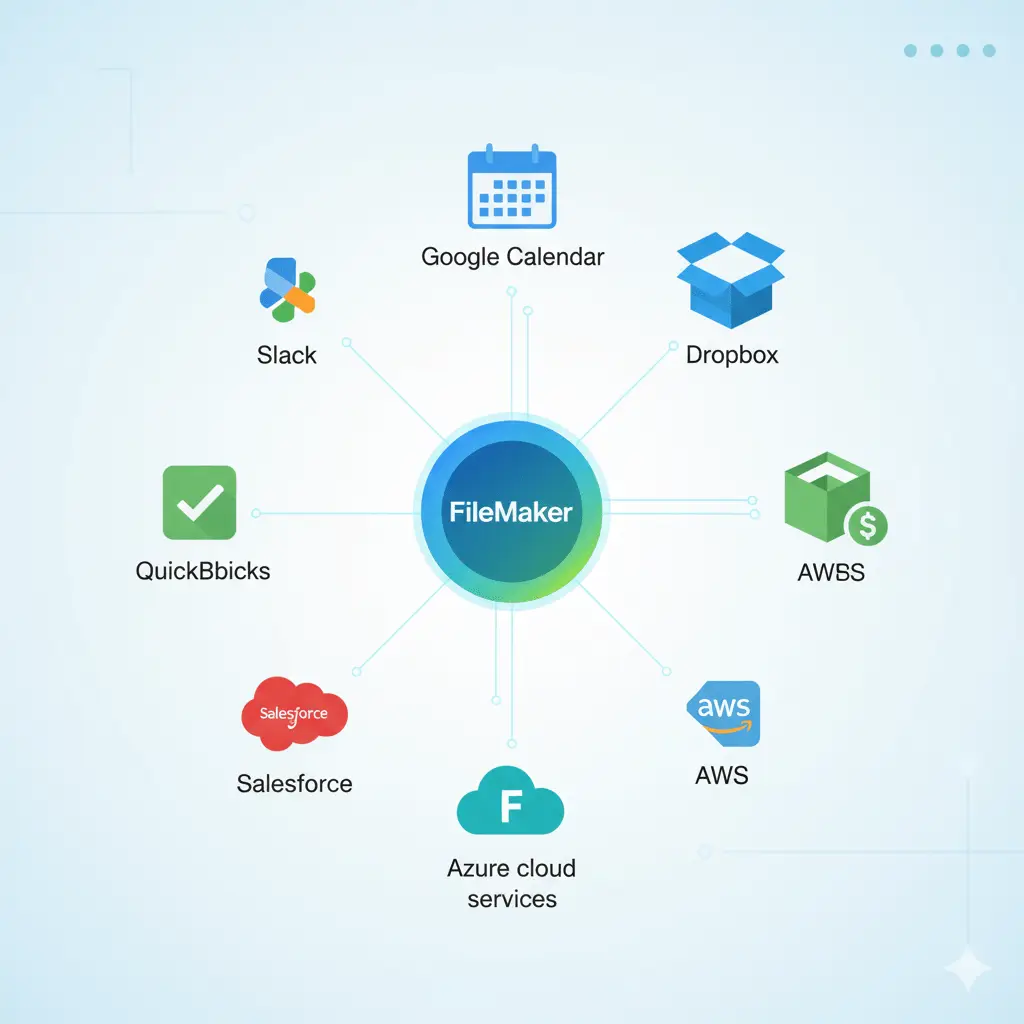
Connections to QuickBooks, Xero, Shopify, email, payment providers or other APIs must be rebuilt and retested. Each integration typically adds 20–80 hours depending on how many record types sync and how errors are handled.
5. Users, roles and security
FileMaker privilege sets, record-level access and account management need to be recreated with a web authentication and authorisation layer. Simple role models are quick. Record-level rules (for example “technicians only see their own jobs”) take longer and need careful testing.
6. Data quality and container fields
Duplicate customers, free-text dates and inconsistent picklist values all need cleaning before import. Container fields holding PDFs, photos and signatures must be exported and moved to file storage, with links preserved.
7. Offline and mobile use
If staff use FileMaker Go on iPads in the field, especially offline, matching that experience in a web app is a project in itself. Offline-capable web apps are possible, but they are one of the more expensive features to rebuild.
FileMaker to web app migration cost by project size
The ranges below are planning estimates based on typical project shapes, not a quote. Your real figure depends on the factors above, and a short system review is the only way to narrow it down.
Project size | Typical shape | Planning range (hours) | Typical timeline |
Small | 5–10 tables, under 40 scripts, 1–3 user roles, no or one simple integration | 150–350 h | 6–10 weeks |
Medium | 15–30 tables, 40–150 scripts, 2–3 integrations, custom reports | 400–1,000 h | 3–6 months |
Large | 50+ tables, 200+ scripts, multiple integrations, record-level security, mobile/offline use | 1,200–3,000+ h | 6–12+ months |
Turning hours into a budget
Developer rates vary widely by country, seniority and whether you hire a freelancer or an agency. Rather than quoting a single “market rate”, here is how the same hours look at three illustrative rates:
Project size | at $50/hour | at $90/hour | at $150/hour |
Small (150–350 h) | $7,500–17,500 | $13,500–31,500 | $22,500–52,500 |
Medium (400–1,000 h) | $20,000–50,000 | $36,000–90,000 | $60,000–150,000 |
Large (1,200–3,000+ h) | $60,000–150,000+ | $108,000–270,000+ | $180,000–450,000+ |
Plug in the rate you are actually being quoted. If two proposals differ wildly, compare the hours first. A low price with too few hours usually means part of the system has been left out of scope.
Where the budget goes: a typical breakdown
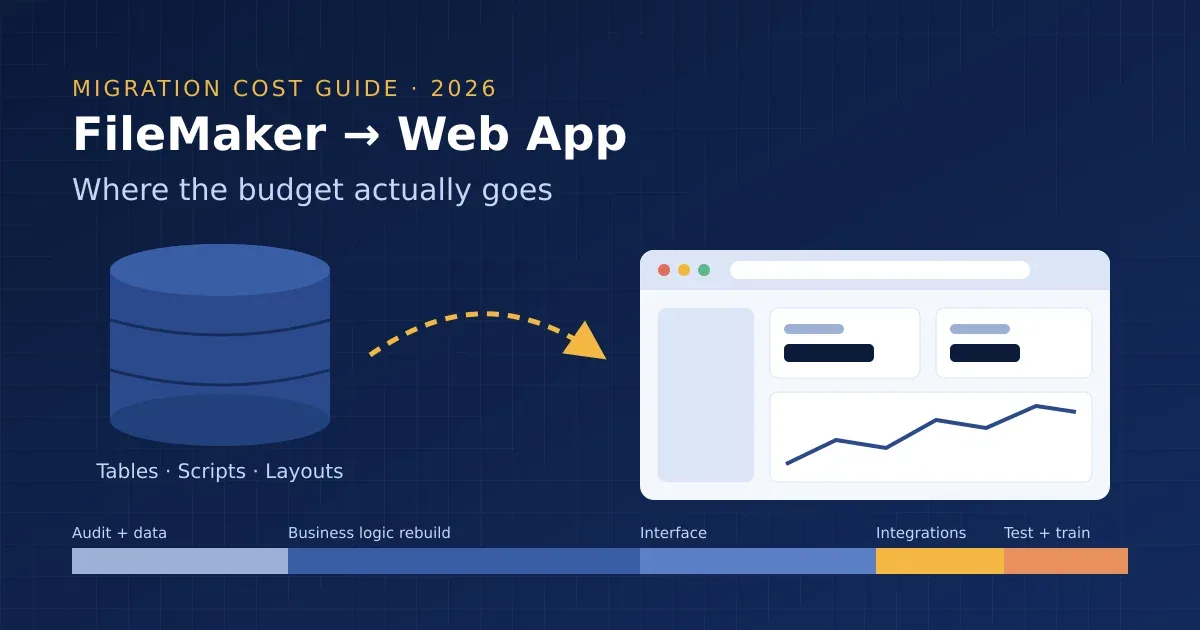
For a medium-sized migration, the effort usually splits roughly like this:
Phase | Share of effort | What happens |
Discovery and system audit | 5–10% | Inventory of tables, scripts, layouts, integrations and users; removal of dead code from scope |
Data model and data migration | 10–15% | New schema design, cleaning, import scripts, test migrations |
Business logic rebuild | 30–35% | Scripts, calculations, validations and workflows rewritten as backend logic |
Interface and reports | 20–25% | Screens, search, dashboards, printable documents and PDFs |
Integrations | 10–15% | Accounting, e-commerce, email and API connections rebuilt and tested |
Testing, training and cut-over | 10–15% | User acceptance testing, parallel running, training, final data sync |
If a proposal shows almost nothing for discovery or testing, treat that as a warning sign rather than a saving.
The hidden costs most budgets miss
These are the items that most often push a migration over budget:
• Parallel running. For a few weeks both systems usually run side by side so figures can be checked. Someone has to enter or reconcile data twice during that period.
• Staff time. Your team will spend hours in workshops, testing and training. That time is real cost even if it never appears on an invoice.
• Undocumented features. Long-running FileMaker systems often contain workflows only one person knows about. They surface during testing and add scope late.
• Reports and exports. The monthly export someone runs for the accountant is easy to forget and annoying to rebuild in a hurry.
• Ongoing maintenance. A web app still needs hosting, security updates, dependency upgrades and bug fixes. Budget for ongoing support from day one.
Running costs: FileMaker licensing vs a web stack
Licence savings are often the reason teams look at migration, so it is worth being precise.
FileMaker. Claris sells FileMaker on an annual per-user subscription. In 2026 the FileMaker Cloud plans have been listed at around US$22 per user per month (Starter) and US$45 per user per month (Max), billed annually, although Claris has hidden and re-shown these prices on its site during the year. Always check current pricing or ask us about licensing. For a 20-user team on the higher tier, that is roughly $10,800 a year.
A typical web stack. A web app built on PostgreSQL with a managed backend such as Supabase starts at a $25/month Pro plan per organisation, plus compute billed per project. Add front-end hosting, file storage, email delivery and monitoring. For a small to mid-sized business app, infrastructure commonly lands somewhere between $50 and $300 per month, depending on data volume and traffic. A full licensing comparison is coming in our FileMaker vs Supabase guide.
The payback reality. Using the numbers above, a team saving around $9,000 a year in licences on a $50,000 rebuild needs five to six years to break even on licences alone, and that is before ongoing maintenance. Licence savings rarely justify a migration by themselves. The stronger reasons are usually:
• many external users (customers, suppliers, contractors) who need browser access,
• a need for a modern customer-facing portal,
• difficulty hiring FileMaker developers in your area,
• performance or scaling limits you have already hit.
A worked example
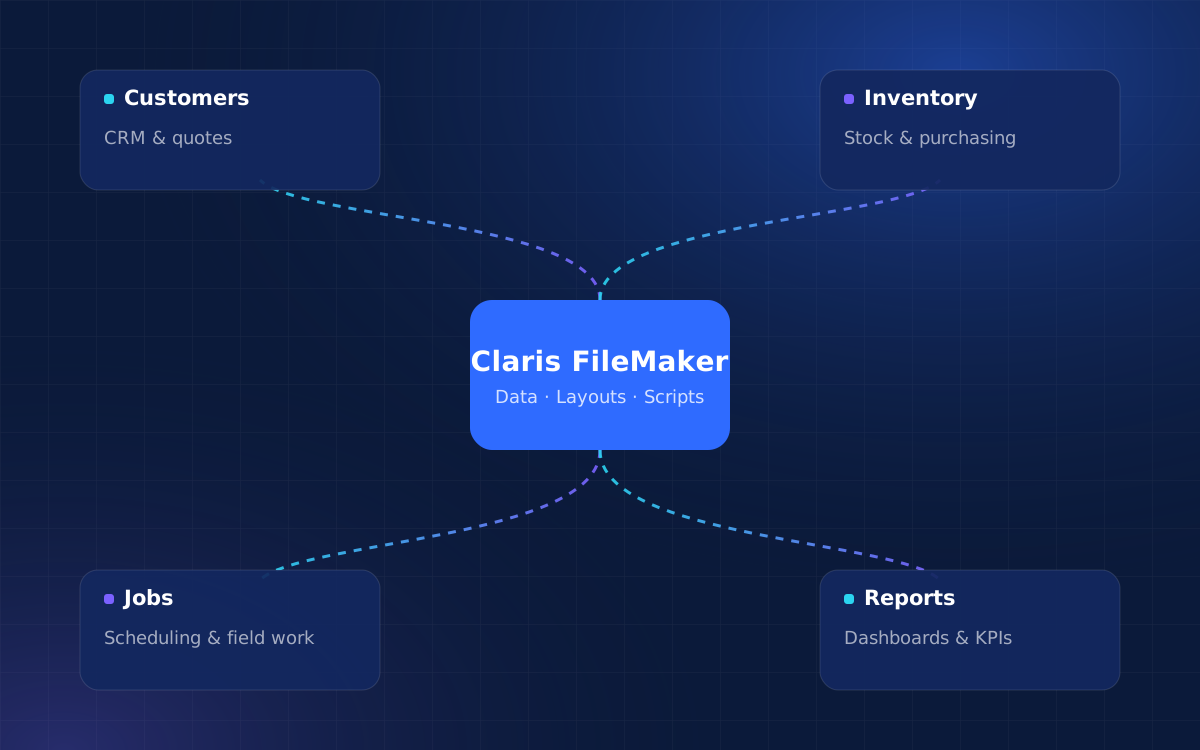
Consider a 25-user field service business running FileMaker for jobs, quotes, invoicing and scheduling. The system has 22 tables, around 140 scripts, a QuickBooks Online integration and technicians who use FileMaker Go on iPads.
A system review finds that roughly 40 scripts are no longer used, and two report layouts can be replaced by one dashboard. The remaining scope looks like this:
• data model and migration of 22 tables: ~80 hours
• business logic for around 100 active scripts: ~260 hours
• office screens, dashboards and five printable documents: ~190 hours
• QuickBooks Online integration: ~60 hours
• mobile technician screens with photo and signature capture: ~120 hours
• testing, training and a three-week parallel run: ~90 hours
That gives a total of about 800 hours, firmly in the medium bracket. The audit alone removed an estimated 100+ hours of work that would otherwise have been quoted.
Cheaper alternatives to a full migration
A complete rewrite is not the only way to get a web experience. Before committing, consider these:
Keep FileMaker, add a web front end
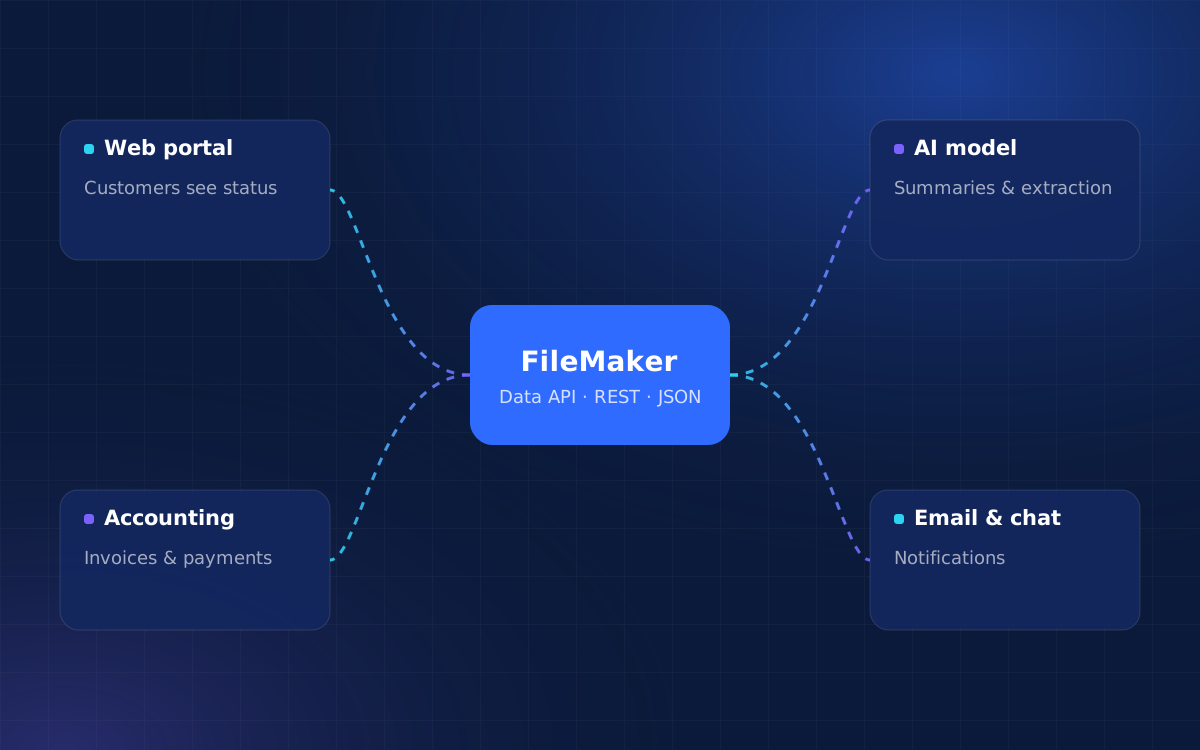
Your team keeps working in FileMaker, and customers or field staff get a browser app that reads and writes the same data through the FileMaker Data API. Tools such as FmBetterForms are built for exactly this. Costs are often a fraction of a full migration because the business logic stays where it is.
Migrate in phases
Move one workflow at a time, such as the customer portal first, then quoting, then scheduling, with both systems syncing in between. It costs more in total than a single cut-over, but spreads risk and cash flow.
Fix the FileMaker system you have
If the real complaint is speed, an outdated interface or security worries, an upgrade and clean-up may solve it for far less than a rebuild. We cover integration options in more detail in Connecting FileMaker with Web Applications, APIs, and AI Automation.
How to keep migration costs under control
1. Start with an audit. A FileMaker system analysis produces an inventory of what exists and what is actually used. It is the most reliable way to narrow a quote.
2. Freeze new features. Don’t add new requirements to the old system during the rebuild, and keep a “phase two” list for the new one.
3. Clean your data early. Deduplicating customers and standardising values before migration is cheaper than fixing them in two systems.
4. Decide on reports up front. List every printed document and export your team relies on.
5. Plan the cut-over. Agree how long to run in parallel and who signs off the figures before the old system is retired.
Should you migrate at all?
Migration usually makes sense when:
• many people outside your organisation need access,
• you need a public-facing portal or a SaaS-style product,
• you have outgrown FileMaker’s performance at your data volumes,
• your long-term team skills are in web technologies.
Staying on FileMaker usually makes sense when:
• your users are mostly internal and the system works well,
• the main problem is design, speed or an old version,
• you rely heavily on FileMaker Go and offline use,
• the payback period would be longer than you are comfortable with.
Get a realistic estimate for your system
Every FileMaker solution is different, and a generic range only goes so far. If you are weighing a migration, we can review your file, show you what is actually in use, and set out the options side by side: upgrade, extend with a web front end, or migrate in full. Each option comes with an hour estimate you can compare.
Tell us about your FileMaker system and we will come back with practical options, a timeline and a cost estimate.
Frequently asked questions
How much does it cost to convert a FileMaker database to a web application?
Most small solutions need roughly 150–350 developer hours and most mid-sized business systems need 400–1,000 hours. The final cost depends on your developer’s rate and on how many scripts, reports and integrations your file contains.
How long does a FileMaker to web migration take?
Small projects often take 6–10 weeks, medium projects 3–6 months and large systems 6–12 months or more, including testing and a short period of running both systems in parallel.
Can I migrate FileMaker to a web app automatically?
Conversion tools can move data and generate basic screens, which saves some time on simple solutions. Business logic, reports, integrations and security still need to be rebuilt and tested by a developer, and that is where most of the cost lies.
Will migrating off FileMaker save money on licences?
It can reduce per-user licence costs, especially with many users. However, build and maintenance costs mean the payback period is often several years, so licence savings alone are rarely the strongest reason to migrate.
Can I keep FileMaker and still give users a web app?
Yes. Using the FileMaker Data API or a framework such as FmBetterForms, you can build a browser-based app for customers or field staff while your office team continues working in FileMaker.
What should I prepare before asking for a migration quote?
A list of users and roles, the integrations you depend on, every report or export you use regularly, and if possible a copy of the file or a Database Design Report. This helps any developer give you a far more accurate estimate.
Related articles
Turn ideas into a working system
Share what you’d like to build or improve, and we’ll suggest a practical first step.